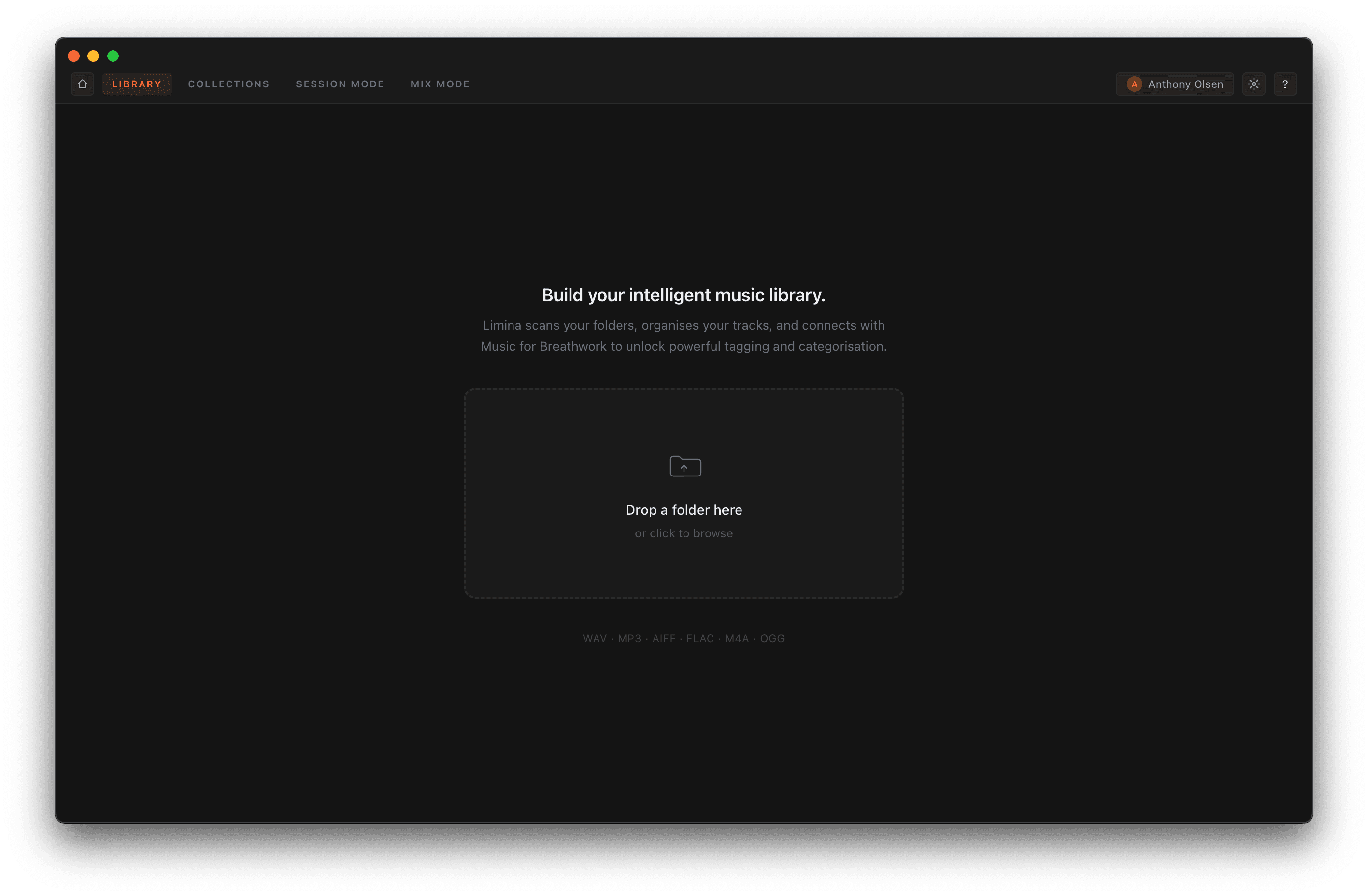
There are two ways to bring music into Limina. Either way, it scans in the background and adds every supported file — WAV, MP3, AIFF, FLAC, M4A, and OGG.
From the account menu
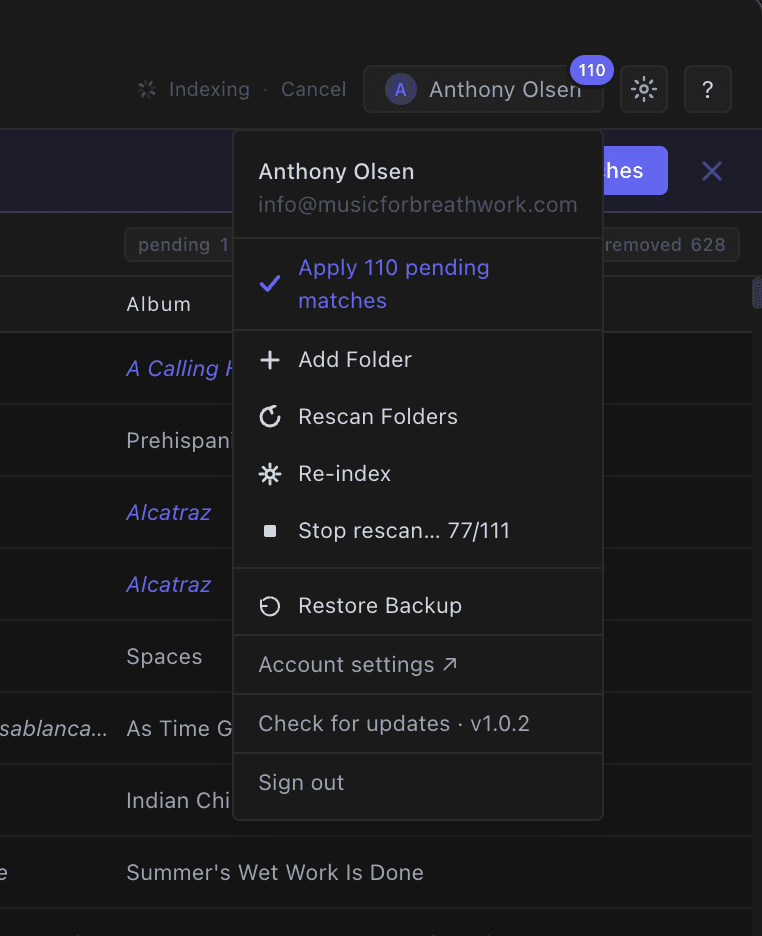
Open the account menu in the top-right corner and choose Add Folder to pick a folder from disk. The same menu holds Rescan Folders to pick up new or changed files, Re-index to rebuild everything from scratch, and Restore Backup to roll back — Limina writes a fresh backup on every launch.
- —Add as many folders as you need
- —Rescan picks up new or changed files
- —Automatic rolling backups on every launch
Or drag from your desktop
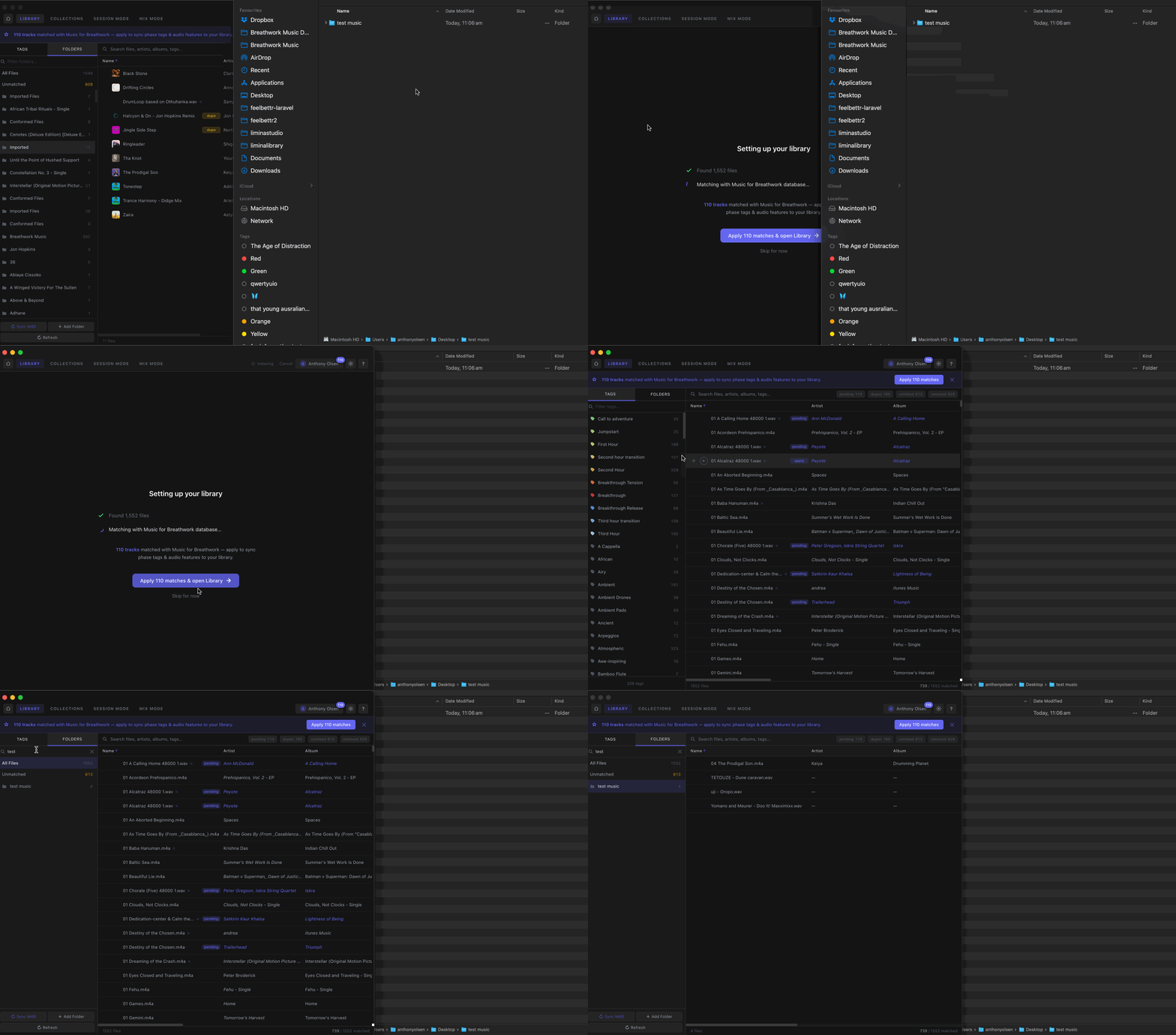
Prefer drag and drop? Grab a folder straight from Finder (or File Explorer) and drop it anywhere on the Limina window. It's added and scanned the moment you let go.