Limina Studio/Support
Support
Everything you need to get going with Limina Studio — your library, live sessions, and multitrack mixing in one app. Can't find an answer? Email us.
Getting Started
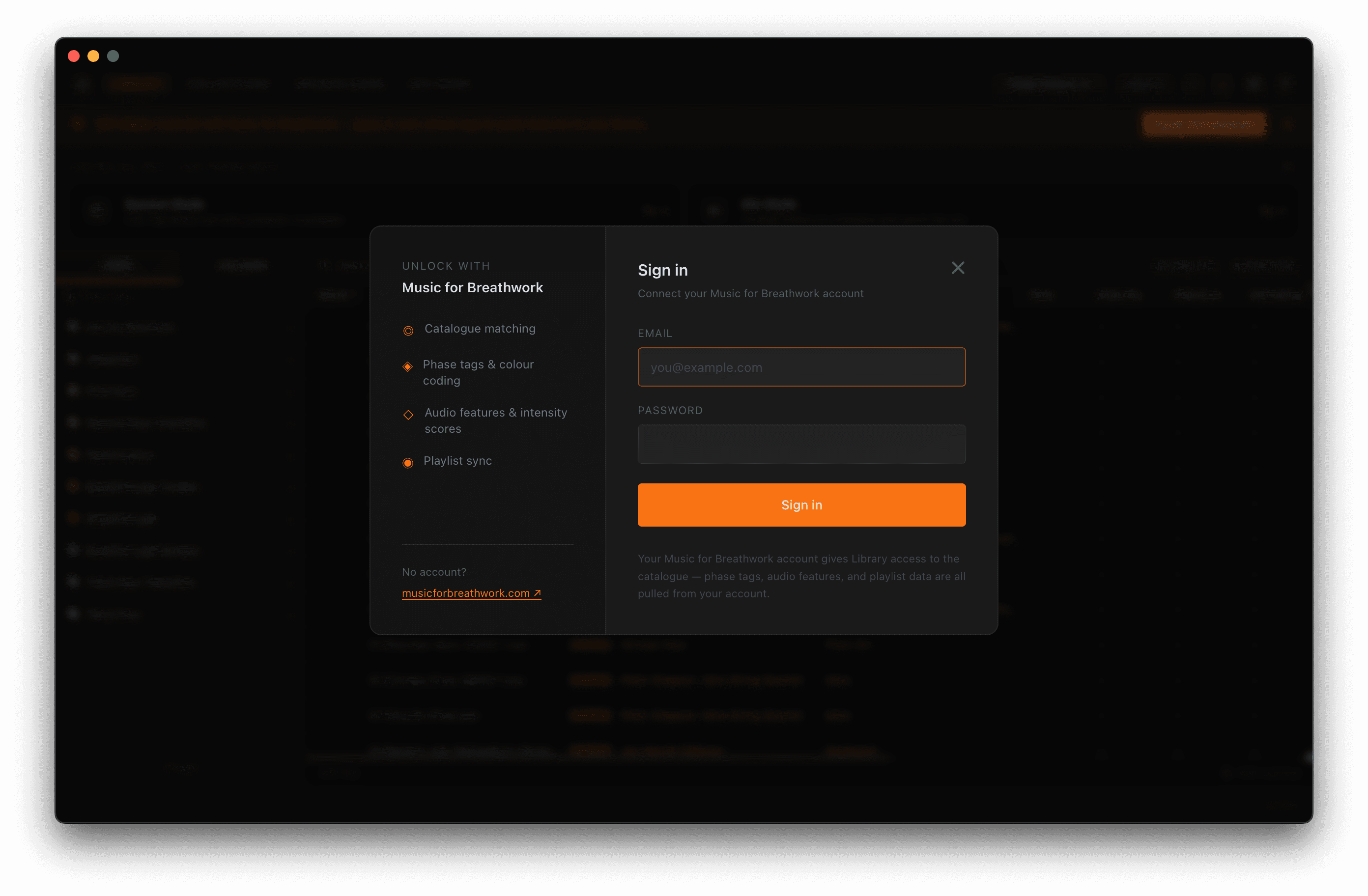
- 1Sign in (optional)Connect a free Music for Breathwork account to unlock catalogue matching — phase tags, colour coding, and audio features. You can skip this and add it later.
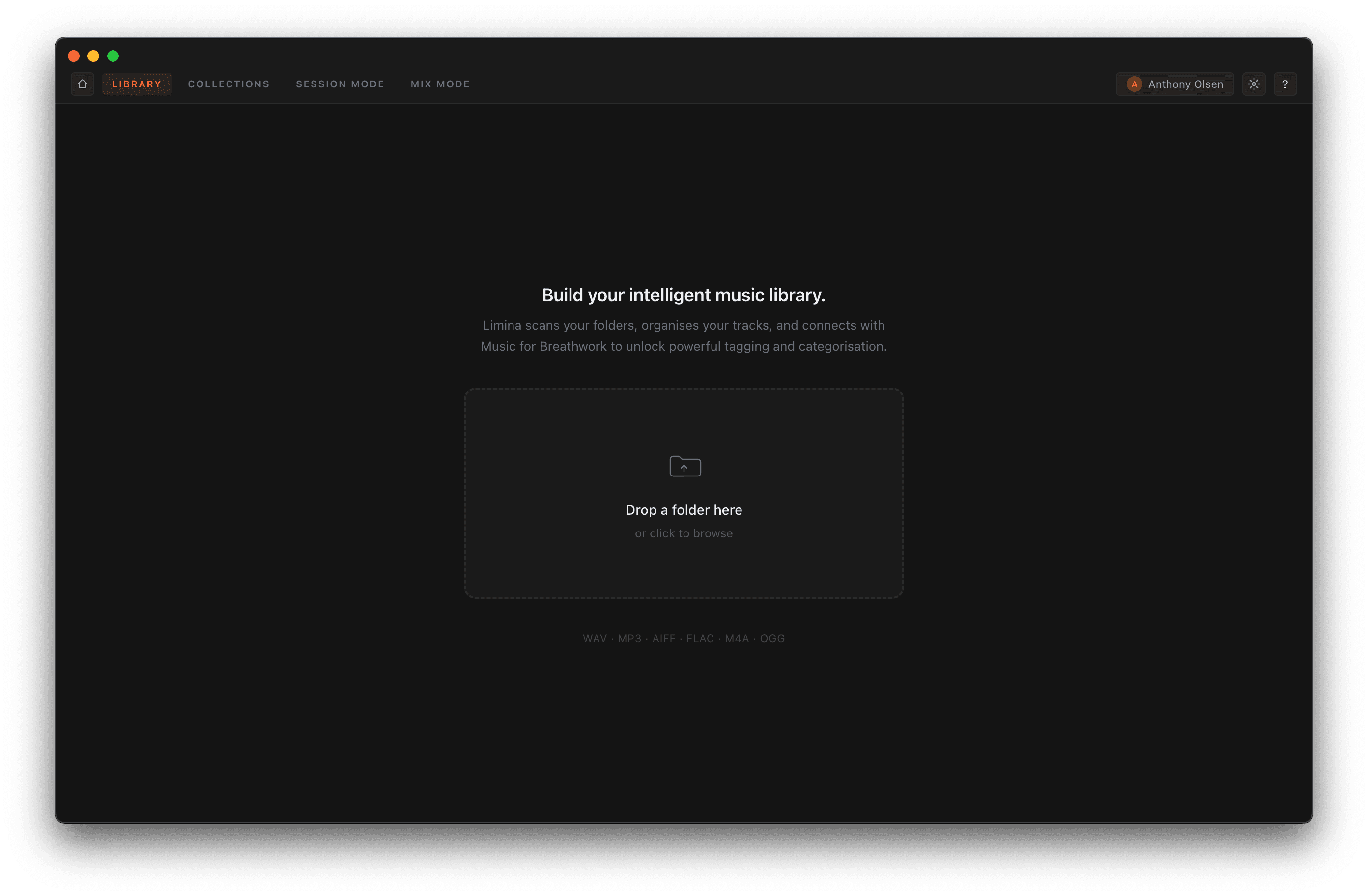
- 2Add your musicDrop a folder of audio files onto the window, or click to browse. Limina scans it and builds your library automatically.
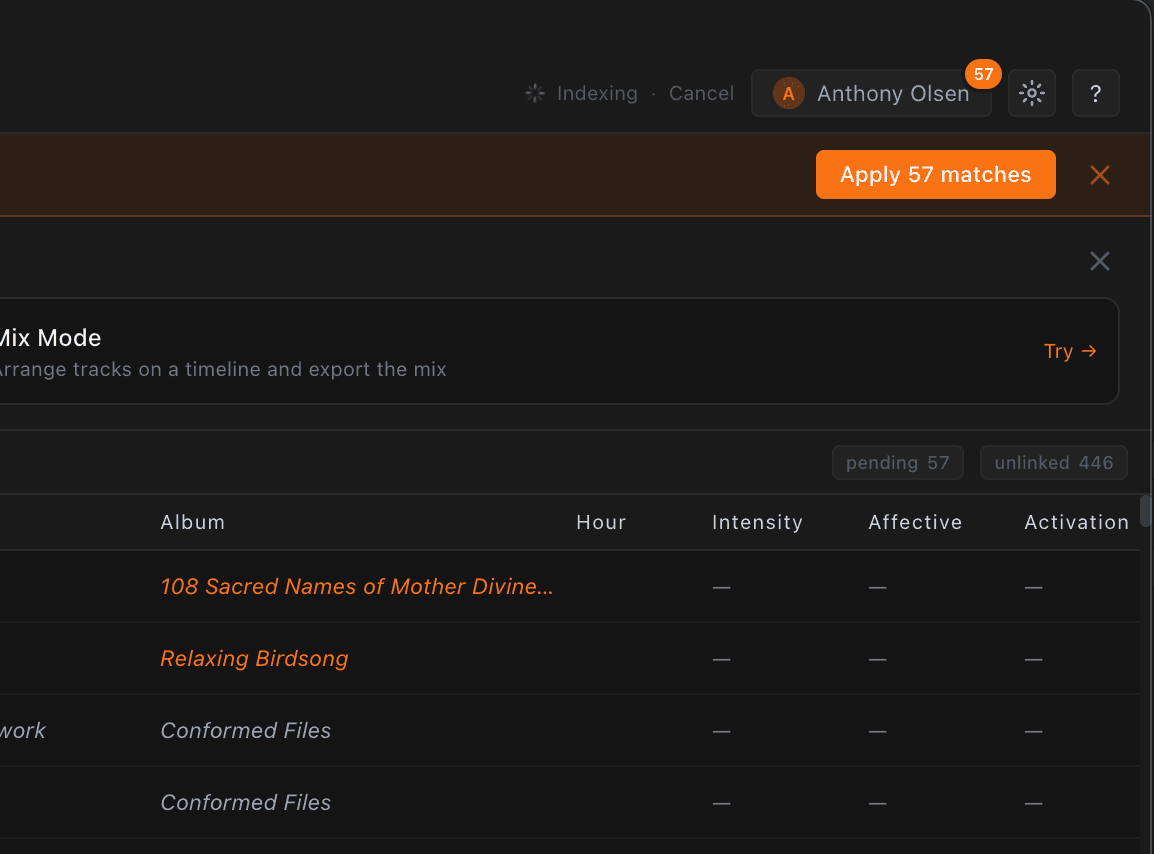
- 3Apply matchesOnce indexing finishes, apply your Music for Breathwork matches to enrich your tracks. Then head into a Session or open Mix.
Workspace Guides
Each workspace has a walkthrough with screenshots — open the guide to see it in action.
Library→Scan local folders and match them to the Music for Breathwork catalogue. Filter by phase, tag, and audio features; preview tracks with the waveform player.Collections→Your Music for Breathwork playlists, session templates, recorded sessions, and saved mixes — each opening straight into Session or Mix.Session→Play a live, tag-driven set with automatic equal-power crossfades. Steer by tags and feel, skip and reshape on the fly, and record what you play.Mix→Arrange tracks on a timeline, draw volume automation, set crossfades, and export a single studio-quality file. Save a track-listing PDF for your set.
Keyboard Shortcuts
In the Mix timeline (⌘ = Cmd on Mac / Ctrl on Windows):
SpacePlay / pause
RReturn playhead to start
LToggle loop
DeleteRemove selected clip
+ / −Zoom the timeline in / out
⌘SSave session
⌘EOpen export dialog
⌘Z / ⇧⌘ZUndo / redo
EscDeselect clip
Frequently Asked
Do I need a Music for Breathwork account?No — you can scan folders, browse your library, run sessions, and mix without an account. A free Music for Breathwork account unlocks catalogue matching, which enriches your tracks with phase tags and audio features.
I used Limina Mix or Limina Library before — do I need to re-import?No. Limina Studio imports your existing Limina Mix or Limina Library catalogue automatically the first time you launch it — folders, matches, tags, and playlists all carry over with nothing to re-scan.
Where is my library stored?Everything is stored locally on your machine. Limina Studio keeps a catalogue of your folders and matches, and creates rolling backups automatically each time it starts.
Which files can I add?WAV, MP3, AIFF, FLAC, M4A, and OGG. Point Limina at any folder and it scans supported audio automatically.
Is it free?Yes. Limina Studio is free for breathwork facilitators, built and maintained by the Music for Breathwork team.
Troubleshooting
A track has no sound, or playback is silentCheck the file still exists at its original path (moved or renamed files show as missing) and that your output device is selected in Settings. Re-scanning the folder re-links moved files.
Catalogue matches aren't applyingMake sure you're signed in to your Music for Breathwork account. Matching runs in the background after a scan — when matches are ready, an "Apply matches" prompt appears. You can also re-index from the folder actions menu.
Waveforms look blank or wrongWaveforms are extracted in the background. If one fails, re-scanning the folder rebuilds it. In Mix, right-click a clip to rebuild its waveform.
The app didn't updateLimina Studio checks for updates on launch. You can also check manually from the account menu. Updates install on restart.
Still stuck? contact@bamboopixel.com — or visit the download page.